Showing posts with label Compositor. Show all posts

Friday, April 19, 2013

Compositor Node Layout

This entry will cover the group of Compositor features that fall under the Layout category.  These features help to organize your node setup and help you iterate through your design.


Node Operations

This entry covers a varied set of operations that can be performed in the Compositor View.

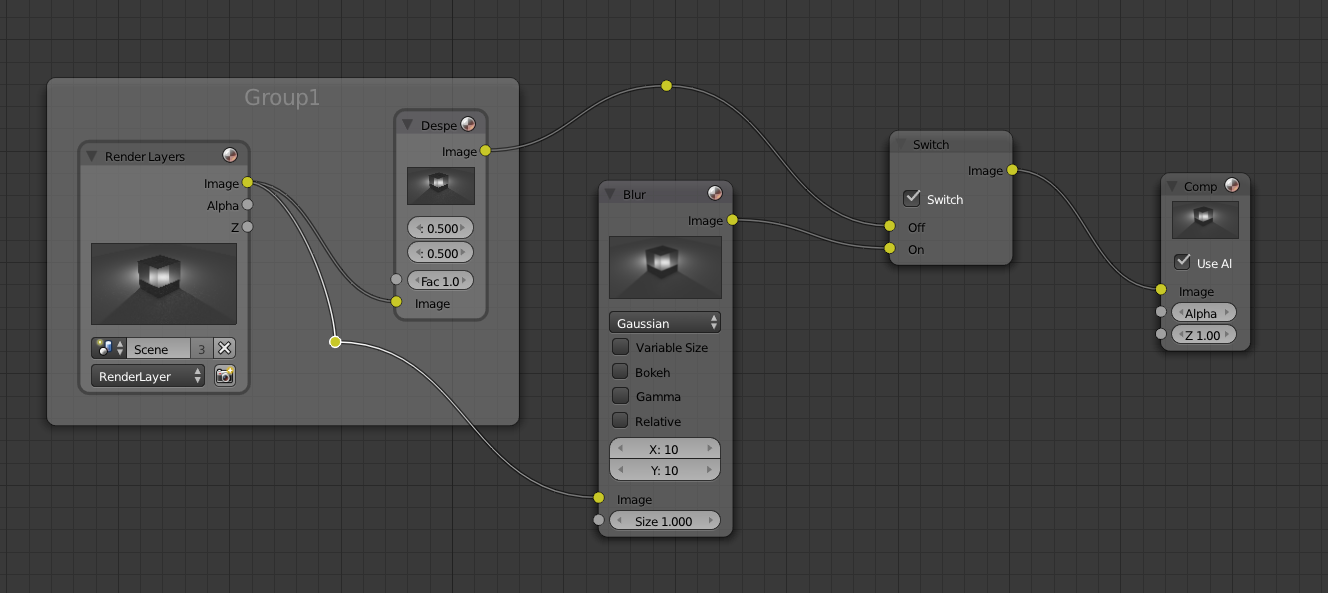
First, the very simple but useful feature of muting nodes.  This can be done by selecting a node in the compositor and pressing [M].  When a node is muted, the header turns red, and an visual bypass line is shown in red behind the node.

This is a toggle operation, so pressing [M] again will un-mute it.

This is very useful to try to review effect the node has on the render.

Friday, March 22, 2013

Multi-View Render

Suppose that you desire to render two scenes into a single image (render).  This normally can be done in photoshop, or if it's a video, a video compositor.  However, if for some reason you want to do it all in Blender, it can be done.

For this entry we'll explore how to take the two following scenes:


...and render them into a single image side by side.  This approach can be used for stereoscopic rendering, or to do a dual view render, or just to combine two different scenes in a juxtaposed fashion.
Friday, December 28, 2012

Alpha Over Node

This quick entry covers the compositor node setup for adding a background image to a scene using the compositor.  The node setup is seen below.  It uses the AlphaOver node.  The only caveat i noticed is that the overlaid object (my cube) must be on the lower image input, and the Premul value set to 1.0.

The final render shows the standard cube in front of the image i imported (chairs).

Render Layers

This entry covers the use of Render Layers.  Although there are probably many uses for Render Layers, the main focus I'll cover is using them to isolate post processing control to individual objects of the scene using the compositor.

So in my initial scene, I have Suzanne and a light blue backdrop.  In an effort to use Render Layers, I have Suzanne on layer 1, the backdrop on layer 2 and the light on layer 3.

Compositor Intro

This entry is an introduction to the Compositor.  I'll go over the Compositing View as well as the standard output nodes that are used.

To start off, using [Ctrl + Left Arrow], you can change to the compositing view which should look like the image below.  My example scene is suzanne within a light blue box.

Friday, December 30, 2011

Depth of Field

This entry will show how to get a Depth of Field (DOF) effect using the compositer in Blender.  To start off, we have a scene that has a bunch of thumbtacks, with one particular tack closest to the camera.

When rendered, this looks fine, however, considering the scale of these objects in real life, a normal camera would produce some very narrow depth of field to produce such a macro shot.